 Cadence
Intermittent fasting tracker
Fast in rhythm.
Keep it private.
Cadence tracks your fasts with one tap, follows the schedule that suits you, and shows how you feel along the way. Your data stays on your iPhone and in your own iCloud. No account, no subscription.
- Free to download
- No account
- No subscription
- Works offline
- iPhone & iPad
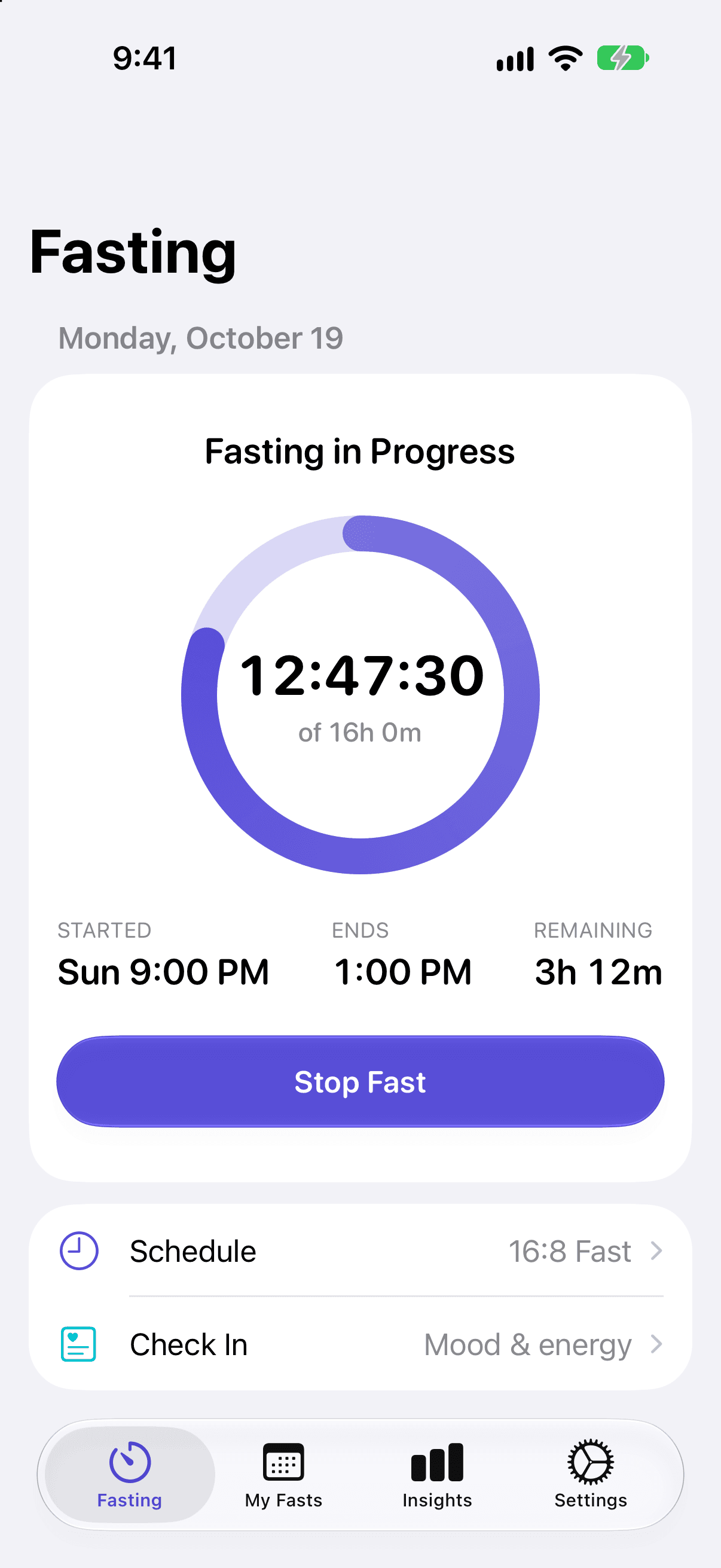
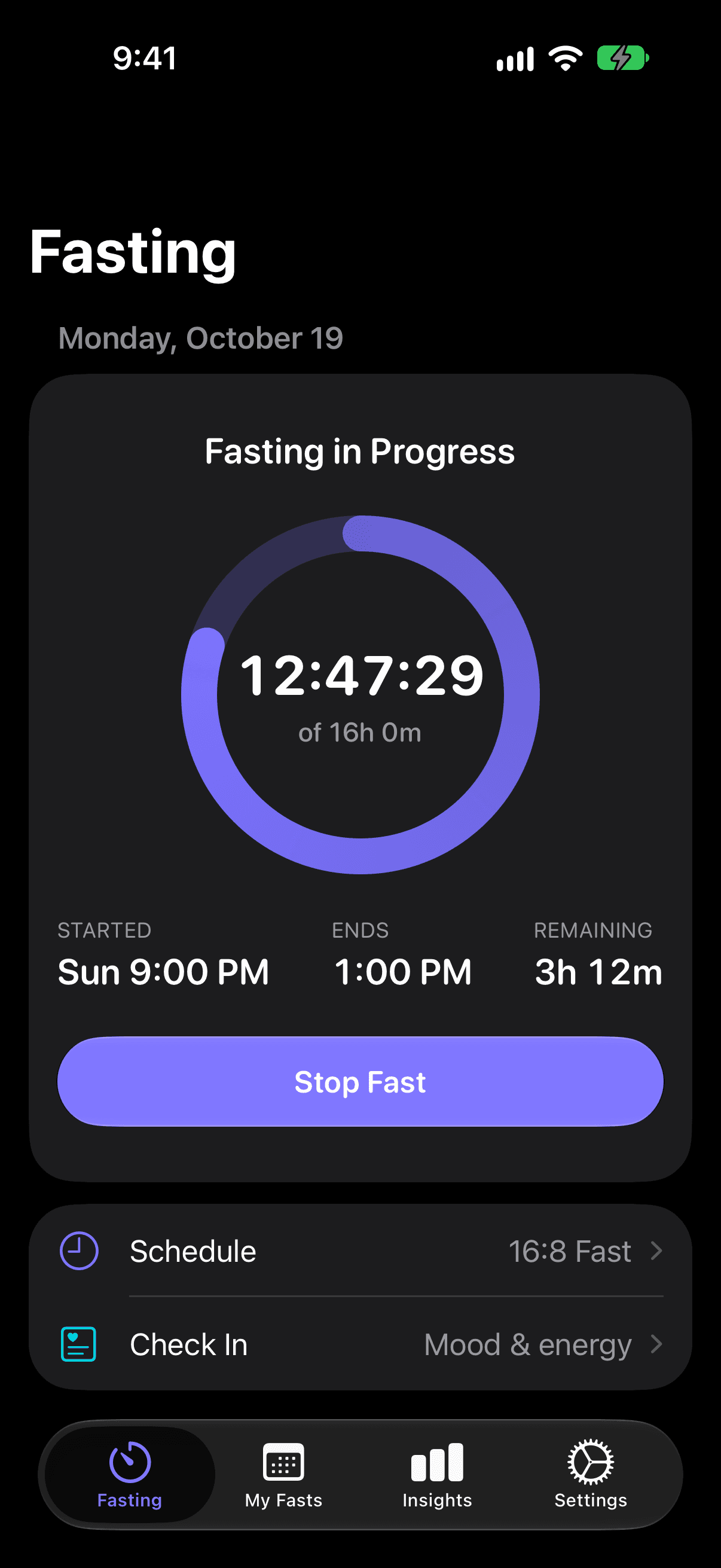
Your fasting data is nobody else's business.
Most fasting apps want an account, a monthly subscription and your data on their servers. Cadence needs none of that. It works fully offline, syncs only through your private iCloud, and has no ads, analytics or tracking. We can't see your data, even if we wanted to.
Why Cadence
Everything you need. Nothing you don't.
A focused fasting tracker that feels at home on your iPhone, built in the style of Apple's Fitness and Health apps.
One-tap timer
Start a fast in a tap. A live ring shows how far you are, when you started, when it ends and the time to go.
13 fasting schedules
From 12:12 and 16:8 to One Meal A Day, 5:2 and extended fasts. Or make a schedule of your own.
Check in on how you feel
Log mood, energy and notes during a fast, and see how they change as your fasting rhythm settles in.
Every fast, on a calendar
My Fasts shows a ring for each day. Open any fast to see its details, edit the times or delete it.
Insights and goals
Totals, streaks and charts for the day, week, month or year, compared with the period before. Set goals and get a nudge as you near them.
Your data, your iCloud
Everything stays on your device and syncs through your own private iCloud. Export to CSV or JSON any time.
How it works
Four steps to a steady rhythm.
Simple enough for your first fast. Detailed enough for your hundredth.
01
Pick a schedule
Choose 16:8 to begin, or any of the 13 schedules. Change it whenever you like.
02
Start your fast
One tap starts the timer. Reminders let you know when you're almost there.
03
Check in
Note your mood and energy along the way. It takes a few seconds.
04
See your rhythm
Review every fast, keep your streak going, and watch the trends take shape.
Beyond the app
Your fast, wherever you look.
Widgets
Home Screen and Lock Screen widgets show your fast at a glance, with Start and Stop right there.
Live Activity
Follow the running fast on the Lock Screen, in StandBy and in the Dynamic Island.
Control Center and Siri
Toggle a fast from Control Center or the Action button, or ask Siri how your fast is going.
Pricing
Pay once. Never again.
Cadence is free to download, with everything you need for today's fast. Cadence Premium is a single purchase that unlocks the bigger picture. Try it free for 14 days.
Free
$0
Free forever, with no ads.
- Fasts up to 24 hours, with 9 schedules from 12:12 to Eat-Stop-Eat
- Today's insights and your current streak
- Full history: view, edit and delete every fast
- Mood, energy and notes check-ins
- Reminders, iCloud sync and CSV or JSON export
- Widgets, Live Activity, Control Center and Siri
Cadence Premium
$9.99
One-time purchase. 14-day free trial. Family Sharing.
Everything in Free, plus:
- Extended fasts: 36h, 48h, 72h and the Fast Mimicking Diet
- Custom schedules
- Week, month, 6-month and year insights, with comparisons
- Goals with milestone notifications
Price shown in US dollars. Other regions use the App Store's local price. The trial never charges you: Premium features lock again when it ends unless you buy Premium.
Find your fasting rhythm.
Start your first fast in seconds. No sign-up, no subscription, no data leaving your devices.